Imagine having a highly trained customer service representative who works 24 hours a day, 7 days a week, 365 days a year. This employee never calls in sick, never gets frustrated, and instantly knows the answer to every single question about your business.
In the past, building this kind of AI assistant required a team of software developers, data scientists, and tens of thousands of dollars. Today, the landscape has completely shifted. Thanks to the rise of “no-code” platforms, absolutely anyone—regardless of their technical background—can build a custom AI chatbot trained exclusively on their own business data.
If you are a small business owner, a freelancer, or a marketing manager looking to automate customer support, capture leads, and save hundreds of hours, you are in the right place.
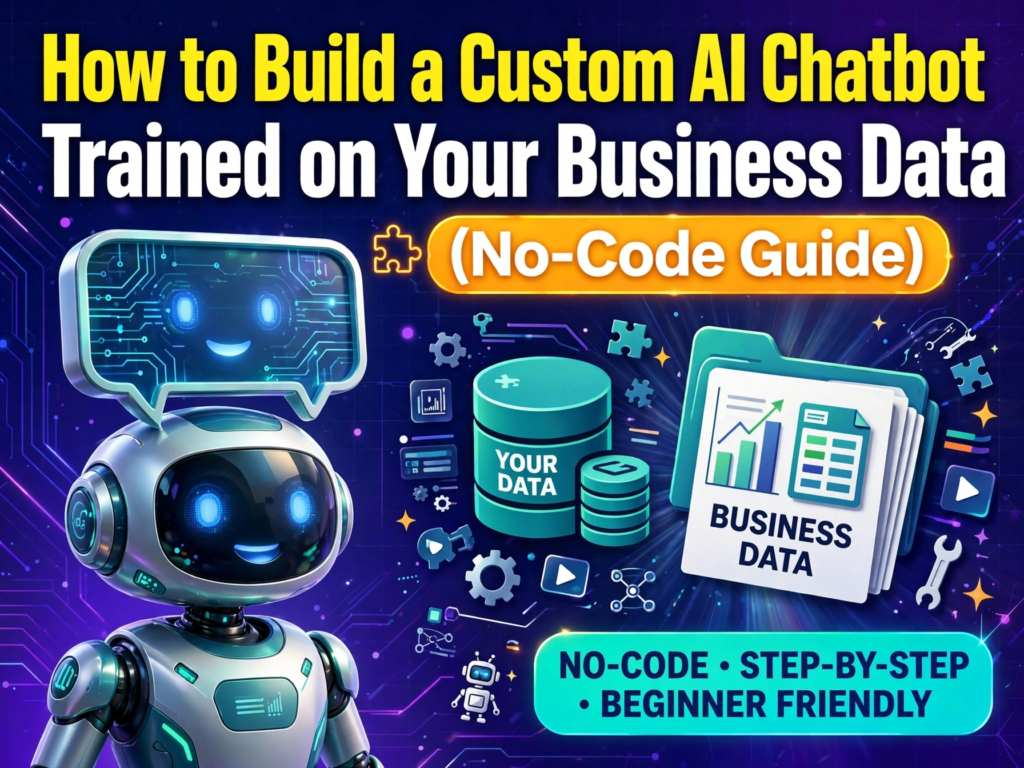
This comprehensive, step-by-step guide will take you from zero to a fully deployed, highly intelligent AI chatbot. There is no coding required, no confusing jargon, and no skipped steps. By the end of this tutorial, you will have the knowledge and confidence to build a digital asset that genuinely grows your business.
Chapter 1: Understanding What a “Custom” AI Chatbot Actually Is
Before we start building, it is crucial to understand what makes a custom chatbot different from the regular ChatGPT interface you might already be used to.
The Problem with Standard AI
If you go to ChatGPT and ask, “What is the return policy for my specific boutique?” it cannot answer you. It might give you a generic answer about how retail returns usually work, but it does not know your business. Standard AI models are trained on the entire internet up until a certain date. They are generalists.
The Power of Custom-Trained AI
A custom AI chatbot is a specialist. When you train a chatbot on your business data, you are essentially giving it a closed library of information. When a customer asks a question, the AI only searches your library. It does not make up answers based on random internet articles. It pulls directly from your website, your PDF manuals, your pricing sheets, and your FAQs.
In the tech world, this process is often called RAG (Retrieval-Augmented Generation). But you do not need to remember that term. Just remember this analogy: Standard AI is a student taking an open-book test using the entire internet. Custom AI is a student taking a test using only the specific textbook you handed them. Because they have the exact right textbook, they score 100% every time.
Chapter 2: Why Your Business Desperately Needs One
Investing an hour or two into building a custom chatbot yields massive returns. Here is exactly how it transforms a business:
1. Instant Responses Equal Higher Sales
The modern consumer is impatient. If someone visits your website at 11:00 PM on a Saturday and has a question about sizing, shipping times, or pricing, they are not going to wait until Monday morning for an email reply. They will leave your site and buy from a competitor. A chatbot answers them in milliseconds, capturing the sale while the buyer’s intent is highest.
2. Drastic Reduction in Support Costs
If you or your team spend two hours a day answering the same five questions (“Where is my order?”, “Do you offer refunds?”, “How do I install this?”), that is ten hours a week of wasted productivity. A chatbot can automatically deflect 50% to 80% of these repetitive Tier-1 support tickets, freeing you up to focus on growing the business.
3. Perfect Consistency
Humans have bad days. Sometimes a support agent might give slightly incorrect information or forget to mention a promotional discount. An AI chatbot, when configured correctly, provides perfectly consistent, on-brand answers every single time. It never forgets the promo code.
4. Lead Generation on Autopilot
Advanced no-code chatbots can be configured to collect user information. If a user asks a complex question that requires human intervention, the bot can seamlessly say, “I want to make sure you get the best help. Can I grab your name and email so our specialist can reach out?” It turns a simple question into a qualified lead.
Chapter 3: Preparing Your Business Data (The Most Important Step)
There is a famous saying in computer science: “Garbage in, garbage out.” Your chatbot is only as smart as the data you feed it. Before you even touch a software platform, you need to gather and organize your data.
What Kind of Data Works Best?
AI platforms thrive on text-based information. Here are the best formats to gather:
- Website URLs: Links to your FAQ page, About Us page, Pricing page, and product descriptions.
- PDF Documents: Employee handbooks, product manuals, installation guides, and menus.
- Text Files (.txt, .docx): Company policies, return guidelines, shipping terms.
- Spreadsheet Links: If you have a Google Sheet with a product catalog or pricing matrix, many platforms can read it.
The Golden Rules of Data Preparation
- Remove Outdated Information: If you have a PDF from 2021 with old pricing, do not upload it. The AI will read it and confuse your customers. Only use current, accurate data.
- Avoid Scanned Images of Text: If you scanned a physical document into a PDF as an image, the AI cannot read it. The text must be digitally selectable.
- Keep it Organized: If your return policy and your shipping policy are mixed into one giant, messy document, consider splitting them into two clean documents. It helps the AI pinpoint the exact answer faster.
- Check for Confidentiality: Do not upload internal financial records, employee social security numbers, or proprietary secrets. Only upload what you are comfortable with your customers potentially reading.
Action Item: Create a folder on your computer right now. Save your best FAQs, your return policy, your shipping details, and a few key product pages (saved as PDFs or text) into this folder. You are now ready for the next step.
Chapter 4: Choosing the Right No-Code Platform
The market is flooded with no-code AI builders. To keep this guide practical, I have tested the top platforms and narrowed them down to the best options for different types of users. All of these platforms use advanced AI models (like GPT-4) under the hood, but they present it in a user-friendly way.
1. Chatbase (Best for Speed and Simplicity)
If you want a chatbot live on your website in under 10 minutes, Chatbase is the king. You literally paste your website link, and it crawls the pages automatically. It is incredibly user-friendly, offers great analytics, and allows you to easily customize the bot’s appearance and behavior.
2. Dante AI (Best for E-Commerce and Visuals)
Dante AI is beautiful. It allows you to upload images and train the bot on those images (great if you sell physical products). It also has incredibly easy integrations with Shopify, WooCommerce, and Slack.
3. Voiceflow (Best for Complex Conversations)
If you want your bot to do more than just answer questions—if you want it to walk a user through a multi-step process (like a loan application or a troubleshooting guide)—Voiceflow is the most powerful no-code tool. It uses a visual drag-and-drop canvas. There is a slight learning curve, but the possibilities are endless.
4. CustomGPT.ai (Best for Accuracy and Enterprises)
CustomGPT is built on the premise of eliminating “hallucinations” (when AI makes things up). It strictly forces the AI to only use your data. If it doesn’t know the answer, it admits it. It is more expensive but perfect for legal, medical, or highly technical businesses where accuracy is non-negotiable.
For the step-by-step tutorial below, I will use the workflow that is most common across platforms like Chatbase and Dante AI, as they represent the easiest entry point for 90% of readers.
Chapter 5: The Step-by-Step Building Process
Let’s roll up our sleeves and build this chatbot. I will walk you through the exact process using a standard no-code platform.
Step 1: Create Your Account and Start a New Bot
Go to a platform like Chatbase.com and create a free account. Click the brightly colored “Create a New Chatbot” button. You will be prompted to name your bot. Name it something relevant, like “CustomerSupportBot” or “SmithBoutiqueAssistant.”
Step 2: Feed the Bot Your Data
This is where your prepared folder comes in handy. The platform will give you a few options:
- Website Links: Paste the URL of your main website. The system will send a “crawler” to read all the text on your homepage, FAQ page, and contact page.
- File Uploads: Click “Upload Files” and select the PDFs and Word documents from your folder.
- Text Paste: You can also just copy and paste raw text directly into a box if you prefer.
Pro Tip: Start by uploading your core documents first (policies, FAQs). Watch the progress bar as the platform “ingests” the data. This usually takes 30 to 60 seconds per document.
Step 3: Define the Bot’s Persona (System Instructions)
This is the secret weapon of a great chatbot. Every platform has a settings menu called “Instructions,” “System Prompt,” or “Base Prompt.” This is where you tell the AI how to act.
Do not leave this blank. If you leave it blank, the bot will act like a generic robot. Here is an example of a bad prompt vs. a good prompt.
Bad Prompt: “Answer customer questions about my store.” (Too vague).
Excellent Prompt: “You are the friendly and professional customer support assistant for [Your Business Name]. Your goal is to help customers find products, understand our shipping policies, and process returns. Always speak in a warm, conversational tone. Use short paragraphs. Never make up an answer. If you cannot find the answer in the provided documents, politely say: ‘I am not entirely sure about that, but let me connect you with a human who can help!’ Never mention that you are an AI or a language model.”
Take your time writing this prompt. It dictates the entire customer experience.
Step 4: Configure the “Fallback” Action
What happens when the bot gets asked a question that is not in your data? For example, “What is the weather like today?”
By default, some AI might try to guess. You need to go into the settings and find the “Fallback” or “Unrecognized Input” section. Set it to strictly say something like: “I specialize in helping with [Your Business Niche]. I don’t have information about that specific topic, but I can help you with [List 3 things, e.g., shipping, returns, product details]!”
Step 5: Test the Bot Rigorously (Do Not Skip This!)
Before you put the bot on your website, you must test it. Go to the preview window on the right side of your screen. Act like your most difficult customer.
Run these specific tests:
- The Direct Question Test: Ask exactly what is written in your FAQ. (e.g., “What is your return window?”) It should answer perfectly.
- The Typos Test: Type the same question but with terrible spelling. (e.g., “whats yur retrun polocy?”) Modern AI handles typos well, but test it to be sure.
- The Off-Topic Test: Ask about a competitor or random trivia. (e.g., “Why is Nike better than you?”) It should gracefully deflect using your fallback message.
- The Edge Case Test: Ask a question that is half-answered in your data. (e.g., “Do you ship to Canada and how much does it cost?”) See if it pulls the specific details accurately.
If the bot gives a wrong answer, do not panic. You do not need to code. You usually just need to either rewrite a confusing sentence in your uploaded PDF, or make your “Instructions” prompt more specific.
Step 6: Customize the Look and Feel
Your chatbot needs to look like it belongs to your website. Navigate to the “Appearance” or “Theme” tab. Here you can change:
- Colors: Enter your brand’s exact Hex color codes.
- Position: Decide if the chat bubble sits in the bottom right or bottom left corner.
- Avatar: Upload your company logo to be the bot’s profile picture.
- Welcome Message: Change the first thing the bot says. Instead of “Hi, I am an AI,” make it say, “Hey there! 👋 Looking for help with your order or need a product recommendation? Ask me anything!”
Step 7: Add the “Human Handoff” (Crucial for Trust)
No AI is perfect 100% of the time. A good business knows when to escalate. In the settings, look for “Live Chat Integration” or “Human Handoff.”
Many no-code tools allow you to connect your email, Slack, or WhatsApp. If a customer types “I want to speak to a human,” the bot instantly stops responding and sends an alert to your phone or email with the chat transcript. You can then jump in and take over. This guarantees that no customer ever feels trapped by a machine.
Step 8: Deploy to Your Website
You are ready to go live! Navigate to the “Deploy” or “Integrate” section. The platform will give you a small snippet of code—usually just one line of JavaScript—that looks something like this: <script src="https://www.chatbase.co/embed.js" ...></script>
How to put it on your website:
- If you use WordPress: Go to your WordPress Dashboard. Click “Appearance” -> “Theme File Editor” -> “header.php”. Paste the code right above the
</head>tag. Save. - If you use Shopify: Go to Online Store -> Themes -> Customize -> Theme Settings -> Custom HTML (or edit the theme code in the
theme.liquidfile and paste it before</head>). - If you use Wix, Squarespace, or Webflow: They all have dedicated “Custom Code” or “Tracking” sections in their settings where you can simply paste this script.
Once you paste that code and hit save, refresh your live website. You will see your custom chat bubble appear in the corner. Congratulations, you have just deployed an AI employee!
Chapter 6: Advanced Tweaks to Make Your Bot 10x Better
Once your bot is live, the initial excitement might fade, and you will start noticing areas for improvement. Here are advanced strategies to take your bot from “good” to “incredible.”
Eliminating Hallucinations Completely
Sometimes, AI gets too creative. Even with strict instructions, it might hallucinate a discount code that doesn’t exist. To fight this, use the “Constraints” setting found in premium no-code tools. Add a hard constraint: “You are forbidden from inventing links, discount codes, or policies. If the text is not explicitly in the provided documents, you must decline to answer.”
Training on Audio and Video (Transcripts)
Did you know you can train a bot on a YouTube video? If you have a 20-minute product demonstration on YouTube, copy the URL, paste it into a free transcription service (like YouTube’s auto-captions or a third-party site), copy the text, save it as a PDF, and upload it to your bot. Now, your bot can answer questions like, “At what minute mark in the video do they show how to change the filter?”
Setting the Temperature (Creativity vs. Strictness)
In AI settings, “Temperature” controls how creative the bot is.
- Temperature 0.0: The bot is a robot. It will spit back exact sentences from your documents. Great for legal or medical compliance.
- Temperature 0.7: The bot is conversational. It uses your documents as facts but writes its own unique sentences. Great for retail and general customer service.
- Temperature 1.0: The bot is highly creative. It might tell jokes or go off-topic. Avoid this for business use. For most business data, a temperature between 0.2 and 0.5 is the sweet spot.
Chapter 7: Maintaining Your AI Chatbot
Building the bot is not a “set it and forget it” task. Your business changes. You launch new products, you change your prices, you update your return policy. Your bot needs to stay in sync.
The Monthly Audit
Set a calendar reminder for the first day of every month. Log into your chatbot platform and look at the “Analytics” or “Conversation Logs” tab.
Look for two things:
- Unanswered Questions: The platform will often highlight questions where the bot failed to find an answer. If 15 people asked, “Do you have a physical store?” and the bot didn’t know, you need to add a line to your FAQ document and re-upload it.
- Thumbs Down: Most platforms let users rate answers. Look at the ones that got a thumbs down. Why was it bad? Fix the source data.
Updating the Knowledge Base
When you update a policy, do not just upload the new PDF alongside the old one. Delete the old PDF from the platform’s dashboard, and upload the new one. This prevents the AI from getting confused between the 2023 return policy and the 2024 return policy.
Chapter 8: Privacy, Security, and AdSense Considerations
If you are building this for your business and plan to monetize your site through Google AdSense or sell products, you must respect user privacy.
GDPR and Data Collection
If you operate in Europe (or have European customers), you must comply with GDPR. Most no-code platforms do not store the chat logs personally, but you should still add a small disclaimer. In your bot’s welcome message or initial prompt, instruct the bot to say: “Please note that our chat is monitored for quality purposes. Do not share sensitive personal or financial information here.”
AdSense Compliance
If you run Google AdSense on your blog or resource site, placing a chatbot on the page does not violate AdSense policies, provided the chatbot does not generate illegal, explicit, or deceptive content. Because you are strictly controlling the data it reads, an AdSense bot is incredibly safe. However, ensure the chat widget does not physically cover up your Google Ads, as AdSense has strict rules against obscuring ad units. Adjust the positioning of the chat bubble so it doesn’t overlap with your ad banners.
Frequently Asked Questions (FAQ)
1. How much does it cost to build a no-code AI chatbot? Almost all major platforms (like Chatbase, Dante, etc.) offer a free tier. The free tier usually allows for a certain number of messages per month (e.g., 30 messages) and limits the amount of data you can upload. To get a fully functional bot for a small business, you will typically need a paid plan, which ranges from $15 to $50 per month depending on the platform and message volume.
2. Will the chatbot replace my human customer service team? No, and it shouldn’t. The goal of a custom chatbot is to handle “Tier-1” support—the repetitive, easy questions. It acts as a filter. It lets your human team focus on complex issues, angry customers, and high-value sales calls, making their jobs much more fulfilling.
3. Is my business data safe? Will the AI use my data to train its public models? This is a very common fear. Reputable no-code platforms operate under strict enterprise agreements with the underlying AI providers (like OpenAI). They have “zero data retention” policies, meaning your uploaded PDFs and website text are processed to create the bot, but are immediately deleted from their servers. They do not use your private business data to train the public version of ChatGPT. Always check the platform’s privacy policy to confirm they are “SOC 2 compliant” or state “zero data retention.”
4. Can I embed this bot on platforms other than my website? Absolutely. Most no-code platforms provide a public share link. You can paste this link into your Instagram bio, add it to your Facebook page as an auto-responder, send it via email newsletter, or even integrate it directly into your WhatsApp Business account using provided API keys (though WhatsApp integration sometimes requires a slightly higher technical comfort level or a premium platform tier).
5. What if my business is highly technical? Will the bot still understand? Yes, this is where custom AI truly shines. If you are a dental clinic, you can upload clinical study PDFs and procedure explanations. The underlying AI models (like GPT-4) already have a vast understanding of complex terminology; by feeding it your specific data, you are just giving it the exact context it needs to apply that intelligence to your specific clinic.
Conclusion
Building a custom AI chatbot trained on your business data is no longer a futuristic fantasy reserved for massive corporations. It is a practical, highly accessible tool that you can build in a single afternoon.
By taking the time to properly prepare your data, choosing the right no-code platform, carefully crafting your bot’s personality, and rigorously testing its boundaries, you are essentially hiring a tireless digital employee. An employee that will instantly reply to your midnight shoppers, seamlessly guide users through your product catalog, and project a hyper-professional image of your brand at all times.
The gap between businesses that thrive online and those that fall behind is increasingly defined by how quickly they respond to customer needs. Do not let your competitors capture the leads that you are leaving on the table. Gather your documents, pick a platform, and start building your custom AI assistant today. Your future customers—and your own free time—will thank you for it.