Let’s be honest for a second. If you are a student in 2026, you aren’t just competing with the kid sitting next to you in the lecture hall. You are navigating an academic landscape that has been completely turned upside down by artificial intelligence.
Remember a few years ago when AI was just a novelty? When ChatGPT first launched, it was a fun party trick. You’d ask it to write a poem about a toaster, laugh, and move on. Fast forward to today, and AI is no longer a novelty; it is the central nervous system of modern education. If you aren’t leveraging these tools, you aren’t just missing out—you are actively making your academic life harder than it needs to be.
But here is the catch: the landscape is overwhelmingly saturated. Every week, a new startup promises to revolutionize your study habits. Every app adds an “AI feature” that turns out to be just a glorified chatbot. As a student, you don’t have time to test out a hundred different platforms. You have exams to study for, papers to write, and a social life to desperately cling to.
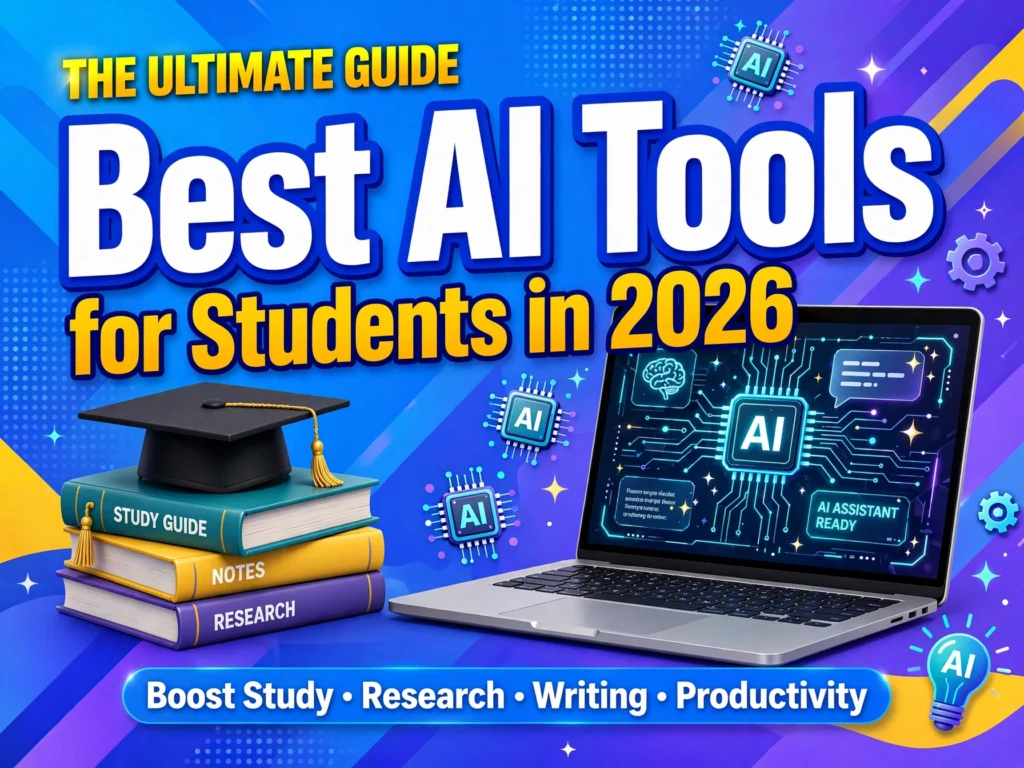
That is exactly why I put together this massive, comprehensive guide. We aren’t just looking at flashy features. We are looking at the absolute best AI tools for students in 2026—tools that actually save time, improve grades, and protect your academic integrity. We will dive into research, writing, math, coding, organization, and even mental health.
Grab a coffee, settle in, and let’s upgrade your academic toolkit.
Part 1: AI for Research and Information Gathering
If there is one thing college and university teach you, it’s how to dig for information. The days of blindly trusting the first page of Google Search results are over. In 2026, research requires precision, verifiable sources, and the ability to synthesize massive amounts of data quickly.
1. Perplexity AI: The Ultimate Answer Engine
If you are still using standard Google Search for your academic research, you are living in the past. Perplexity AI has fundamentally changed how students find information. Unlike traditional search engines that give you a list of blue links, or standard LLMs that hallucinate facts, Perplexity is an “answer engine.”
How it works for students: Let’s say you are writing a paper on the socioeconomic impacts of the 2008 financial crisis. Instead of clicking through ten Wikipedia pages and five JSTOR articles, you ask Perplexity. It reads across the web in real-time, synthesizes the information, and writes a comprehensive response.
But here is the magic: every single sentence it generates has a clickable footnote. If Perplexity says, “The subprime mortgage crisis disproportionately affected minority neighborhoods,” you can click the number next to that sentence and instantly be taken to the exact Forbes article, academic paper, or government study that supports the claim.
Why it’s essential in 2026: Perplexity has introduced its “Academic Focus” mode. When you toggle this on, the AI restricts its search exclusively to peer-reviewed journals and academic databases. It essentially acts as a super-powered research assistant that reads the papers for you, highlights the relevant parts, and cites them perfectly. It eliminates the “hallucination” problem that plagued early AI models.
Best for: Finding credible sources fast, literature reviews, and verifying facts.
2. Elicit: The Literature Review Lifesaver
Speaking of literature reviews, if you are a grad student or writing a senior thesis, Elicit is your best friend. Elicit is specifically designed for academic research. It uses AI to automate the most tedious parts of the research process.
How it works for students: You type in a research question, like “What are the long-term effects of remote learning on elementary students?” Elicit then searches databases of academic papers (like Semantic Scholar) and finds the most relevant studies.
Instead of just giving you a summary, Elicit creates a matrix. It will list the papers down the left side and then populate columns with the study’s methodology, sample size, interventions, and outcomes. It effectively turns a 40-page peer-reviewed study into a single, digestible row in a spreadsheet.
Why it’s essential in 2026: Elicit’s “Extract” feature is a game-changer. You can upload a folder of PDFs—say, 20 papers your professor assigned—and ask Elicit to extract specific data points across all of them. For example, “Extract the exact p-values and confidence intervals from all these studies.” What used to take three days of agonizing reading now takes about ten minutes.
Best for: Grad students, thesis writers, deep academic literature reviews.
3. Consensus: The Science Search Engine
Consensus is another AI search engine, but it is laser-focused on scientific research. If Perplexity is your general knowledge assistant, Consensus is your lab partner.
How it works for students: Consensus only searches peer-reviewed scientific papers. When you ask a question like, “Does creatine cause hair loss?”, Consensus doesn’t just summarize the web. It finds the scientific consensus among researchers. It will tell you that out of 20 studies, 15 found no direct causal link, while 5 suggested a minor correlation. It gives you a “Consensus Meter” right at the top of the page.
Why it’s essential in 2026: The AI has become incredibly adept at understanding complex scientific jargon. It now features a “Copilot” that helps you draft the methodology section of your own papers by showing you how similar studies structured theirs. It ensures your research is grounded in actual science, not internet opinion.
Best for: STEM students, medical students, psychology/sociology majors.
Part 2: AI Writing and Brainstorming Assistants
Let’s address the elephant in the room. Using AI to write your entire paper and submitting it as your own is plagiarism. It’s academic dishonesty, and universities in 2026 have AI-detection software that is terrifyingly accurate.
However, using AI to brainstorm, outline, edit, and refine your writing is just being smart. The best students in 2026 use AI as a sounding board, not a ghostwriter.
4. Claude (by Anthropic): The Nuanced Writer
While ChatGPT gets all the mainstream press, Claude has quietly become the absolute favorite AI of writers, academics, and students who care about tone and nuance. Claude is trained to be more cautious, thoughtful, and natural in its writing style. It doesn’t sound like a robot.
How it works for students: Claude is brilliant at taking a massive, disorganized brain-dump of notes and turning it into a structured outline. You can paste in three pages of messy thoughts you dictated on your phone while walking to class, and Claude will organize them into a logical, five-paragraph essay structure with main points and supporting evidence.
Why it’s essential in 2026: Claude’s “Projects” feature is a massive upgrade for students. You can create a Project, upload your syllabus, your past essays, and your grading rubrics. Claude then acts as an AI tutor that knows exactly what your professor expects. You can ask it, “Does this introduction match the tone of my previous essays?” or “Based on the rubric, am I missing the critical analysis component in this paragraph?”
Best for: Humanities and social science majors, creative writing, essay outlining, and style matching.
5. ChatGPT (GPT-5 Era): The Versatile Workhorse
We can’t talk about AI without mentioning ChatGPT. In 2026, we are well into the era of advanced reasoning models (like the evolution of GPT-4o into GPT-5). ChatGPT is the ultimate Swiss Army knife. It might not be as nuanced as Claude for creative writing, but its ability to process complex instructions, generate ideas, and handle multiple formats is unmatched.
How it works for students: ChatGPT is the ultimate brainstorming partner. Staring at a blank page with a prompt like “Analyze the themes of isolation in Mary Shelley’s Frankenstein”? Ask ChatGPT to give you 10 unique angles to approach the topic. It might suggest looking at it through the lens of 19th-century industrialization, or comparing Victor Frankenstein’s isolation to modern social media detachment.
Why it’s essential in 2026: The voice and vision capabilities are what make it indispensable now. You can take a picture of your messy whiteboard brainstorming session, upload it, and ask ChatGPT to transcribe and organize it. You can also have real-time voice conversations with it. Walking to campus? Put in your earbuds and have a verbal debate with ChatGPT about the lecture topic you just had. It forces you to articulate your thoughts, revealing gaps in your understanding before the exam.
Best for: Brainstorming, quick explanations of complex concepts, voice tutoring, and multi-format processing.
6. GrammarlyGO / Wordtune: The Subtle Editors
You’ve probably used Grammarly to catch stray commas. But in 2026, GrammarlyGO and competitors like Wordtune have evolved into full-fledged AI writing assistants that live right in your browser.
How it works for students: Instead of generating text from scratch, these tools focus on rewriting and improving your text. If you write a clunky sentence, Wordtune lets you highlight it and offers 10 different ways to say it—ranging from casual to formal.
GrammarlyGO can analyze the context of your email or essay and adjust the tone. If you are emailing a strict professor, it can ensure your tone is appropriately deferential. If you are writing a discussion board post, it can make it sound more conversational and engaging.
Why it’s essential in 2026: The key to using these tools ethically is that they enhance your voice rather than replacing it. They catch awkward phrasing, suggest stronger verbs, and help you concisely articulate complex thoughts. Because the editing happens at the sentence level, it completely bypasses the “AI-generated essay” trap while making your writing significantly better.
Best for: ESL students, final polish on essays, professional emails to professors.
Part 3: Note-Taking and Lecture Comprehension
Taking notes during a fast-paced lecture is an art form that few master. By the time you finish writing down the professor’s thought on point A, they are already on point D. AI note-taking tools have completely solved this problem, allowing you to actually engage with the material rather than frantically transcribing.
7. Otter.ai and Fireflies.ai: The Lecture Transcribers
These two platforms are the undisputed kings of AI transcription. You sit in your lecture, open the app on your phone or laptop, hit record, and forget about it.
How it works for students: Otter and Fireflies listen to the lecture and transcribe it in real-time with staggering accuracy. They identify the speaker (Professor vs. a student asking a question) and automatically generate a summary of the lecture’s main points.
When you are studying later that night, you don’t have to listen to a 90-minute recording to find that one specific concept the professor mentioned. You can just search the transcript for a keyword like “mitochondria” and jump right to that exact second of the audio.
Why it’s essential in 2026: The integration with presentation software is what makes these tools vital now. If your professor shares their PowerPoint slides, you can upload them to Otter. The AI will sync the slides with the audio transcript. So when you review your notes, you see the slide on the screen, and the text of what the professor was saying about that slide right next to it. It’s a multi-modal study experience.
Best for: Auditory learners, fast-paced lectures, students who get distracted easily.
8. Notion AI: The Second Brain
If you don’t use Notion yet, you are missing out on the most powerful organizational tool available. Notion is a workspace where you can take notes, manage tasks, and build databases. With Notion AI integrated, it has become the ultimate “second brain” for students.
How it works for students: Imagine you have notes from five different classes, scattered across dozens of pages in Notion. You are studying for finals. Instead of reading through 100 pages of notes, you can type a prompt into Notion AI: “Based on all my notes from this semester, create a comprehensive study guide for my Macroeconomics final, focusing on fiscal policy and inflation.”
Notion AI will search only your own notes. It will compile a study guide based purely on what you actually wrote down. It acts as a personalized tutor that has memorized your entire academic semester.
Why it’s essential in 2026: Notion AI’s table generation and autofill features are incredible for organizing research. If you are comparing different historical events, you can ask Notion to create a table comparing causes, effects, and key figures, and it will populate the table based on your notes. It brings order to the chaos of college life.
Best for: Highly organized students, project management, creating personalized study guides.
9. Vaia (formerly StudySmarter): The Flashcard Automator
Spaced repetition is scientifically proven to be the best way to memorize information. Apps like Anki are great, but making the flashcards is incredibly time-consuming. Vaia uses AI to do the heavy lifting for you.
How it works for students: You upload your lecture PDFs, notes, or even a textbook chapter. Vaia’s AI reads the document and automatically generates thousands of potential flashcards and multiple-choice practice questions. It highlights the key terms and concepts, extracting them into a clean, digestible format.
Why it’s essential in 2026: Vaia now features a “Gap Text” learning mode. The AI takes a paragraph from your notes and blanks out the key words, forcing you to actively recall the information in context, rather than just flipping a card. It adapts to your learning speed, showing you cards you struggle with more frequently, while retiring cards you’ve mastered.
Best for: Medical students, biology majors, language learners, rote memorization.
Part 4: STEM, Math, and Coding Assistants
AI struggles with math, right? Actually, that used to be true. Early LLMs were trained on text, so they were terrible at arithmetic and logic. But in 2026, specialized AI tools have completely cracked the code on STEM education.
10. Wolfram Alpha (with AI Integration): The Computational Genius
Wolfram Alpha isn’t new, but its integration with AI conversational models has made it accessible to students who aren’t math majors. It is a computational knowledge engine.
How it works for students: If you ask a standard AI “What is the derivative of x^2?”, it will tell you “2x.” But if you ask it to solve a complex multi-variable calculus problem, it might hallucinate the steps. Wolfram Alpha actually computes the math.
In 2026, you can interface with Wolfram through natural language. You can type, “How do I find the volume of a solid of revolution bounded by y = x^2 and y = x around the x-axis?” Wolfram will not only give you the final answer, but it will generate a step-by-step solution, show you the 3D graph of the solid, and explain the integration bounds.
Why it’s essential in 2026: It doesn’t just solve the problem; it teaches the methodology. If you get stuck on step 3 of a physics problem, you can ask Wolfram to “explain step 3.” It bridges the gap between getting the answer and actually understanding the math, which is crucial for exams where you have to show your work.
Best for: Calculus, physics, engineering, chemistry, and statistics students.
11. Julius AI: The Data Scientist
For students taking statistics, economics, or any class that requires data analysis (like SPSS, R, or Python), Julius AI is an absolute revelation.
How it works for students: You upload an Excel spreadsheet or a CSV file full of raw data. You then type a plain English prompt: “Clean this data, find the correlation between income and education level, and create a scatter plot with a trendline.”
Julius AI writes the Python code in the background, executes it, and presents you with the finished graph and the statistical analysis. It even gives you the code it generated, so if you are in a coding class, you can see how it was done.
Why it’s essential in 2026: Data literacy is a mandatory skill in almost every field now. Julius democratizes data science. If you are a sociology major who doesn’t know how to code, but you need to analyze survey data for your thesis, Julius allows you to perform graduate-level statistical analysis without writing a single line of code yourself.
Best for: Capstone projects, thesis data analysis, statistics classes, business students.
12. GitHub Copilot: The Coding Tutor
For computer science and engineering students, GitHub Copilot is no longer optional; it is a requirement. It is an AI pair programmer that integrates directly into your code editor (like VS Code).
How it works for students: As you type your code, Copilot auto-completes entire functions based on your comments. If you type # function to calculate the Fibonacci sequence, Copilot will instantly write the Python code for it.
Why it’s essential in 2026: The real value for students isn’t that it writes code for you—it’s that it acts as a real-time tutor. If your code throws an error, you can highlight the error message, and Copilot will explain why the error happened and suggest fixes. It has evolved to understand entire codebases, meaning it can help you navigate massive group projects by explaining how your teammate’s code interacts with yours.
Best for: CS majors, bootcamp students, anyone learning to code.
Part 5: Presentations and Visual Design
You’ve written a brilliant 15-page paper. Now, your professor wants a 10-minute presentation on it. Creating slides used to mean spending hours in PowerPoint moving text boxes around. Not anymore.
13. Gamma: The Instant Presentation
Gamma has completely disrupted the presentation software market. It takes the pain out of slide design.
How it works for students: You give Gamma a prompt or upload your essay. Let’s say you upload your 15-page paper on the French Revolution. Gamma reads the text, identifies the main themes, and generates a 15-slide presentation in about 30 seconds.
It doesn’t just put text on a white background. It generates beautiful, modern layouts with relevant icons, stock photos, and infographics. The slides are actually visually appealing.
Why it’s essential in 2026: Gamma’s “Presenter Mode” is incredible. It generates speaker notes for each slide based on the content. If you get nervous presenting, Gamma will actually give you a script to read. Furthermore, you can edit the presentation by just talking to the AI. You can type, “Make slide 4 a pie chart instead of a bulleted list,” and Gamma will redesign the slide instantly.
Best for: Final project presentations, group projects, visual learners.
14. Canva Magic Studio: The Design Assistant
Canva has always been the go-to for students who aren’t graphic designers. But their “Magic Studio” AI suite has made it even more powerful.
How it works for students: Magic Design allows you to type what you want, and Canva generates a custom template. “A vintage-style poster for a 1920s history presentation.” Magic Media generates images and videos from text prompts directly inside your design.
Why it’s essential in 2026: The “Magic Resize” tool is a lifesaver. If you make a horizontal slide presentation, and your professor suddenly asks for a vertical Instagram-story format for a class social media project, one click resizes your entire design perfectly without breaking the layout. It saves hours of manual formatting.
Best for: Marketing students, club promoters, creating visual aids for presentations.
15. ChatPDF: Interrogating Your Textbooks
Have you ever had a 300-page textbook and needed to find one specific concept you vaguely remember reading? Ctrl+F doesn’t help if you don’t know the exact word. ChatPDF solves this.
How it works for students: You upload your textbook PDF (or multiple research papers) into ChatPDF. The AI reads the entire document. You can then chat with the document.
You can ask, “What page talks about the causes of the Industrial Revolution?” or “Summarize the author’s argument about Keynesian economics.” The AI will give you the answer and provide the exact page numbers where the information is located.
Why it’s essential in 2026: It supports multiple languages and massive file sizes now. If you are an international student reading a dense academic paper in English, you can ask ChatPDF to translate specific complex paragraphs into your native language while keeping the academic context intact. It turns a static PDF into an interactive dialogue.
Best for: Reading massive textbooks, prepping for open-book exams, literature students.
Part 6: Organization, Time Management, and Mental Health
College isn’t just about studying; it’s about managing your life. Burnout is the number one reason students drop out. AI is stepping up to help manage schedules, track deadlines, and even safeguard mental well-being.
16. Motion: The AI Scheduler
If you use a standard calendar app, you know the pain of spending 20 minutes rearranging your schedule because a professor scheduled an extra review session. Motion is an AI-driven calendar and task manager.
How it works for students: You input all your tasks: “Read 50 pages of History by Thursday,” “Write 1000 words of essay by Friday,” “Go to the gym 3 times.” You also input your class times and sleep schedule. Motion’s AI then automatically builds a schedule for you. It places tasks into the empty slots of your calendar.
Why it’s essential in 2026: The magic is in its dynamic rescheduling. If you get sick and sleep through your designated “Read History” block, Motion doesn’t just let the task fail. It instantly recalculates your remaining free time for the week and automatically moves the reading task to another open slot, ensuring you still hit your Thursday deadline without you having to manually drag and drop calendar events. It removes the cognitive load of planning.
Best for: Students juggling part-time jobs, heavy course loads, and extracurriculars.
17. Reclaim.ai: The Habit Builder
Similar to Motion, Reclaim.ai integrates with Google Calendar to automatically find time for your tasks and habits.
How it works for students: You set up “Habits.” For example, “I need 2 hours for deep work studying, 3 times a week.” Reclaim will find flexible slots in your calendar and block them off. As the week progresses and meetings get scheduled, Reclaim dynamically moves your study blocks around to protect your time.
Why it’s essential in 2026: Reclaim has introduced “Smart Meetings” features specifically for group projects. Instead of 5 students sending 20 emails trying to find a time to meet, everyone links their Reclaim calendars. The AI instantly finds the overlapping free time for all 5 students and automatically schedules the meeting and sends out the Zoom link. It ends the group project scheduling nightmare forever.
Best for: Group projects, building consistent study habits, protecting free time.
18. Woebot: The Mental Health Companion
College is stressful. Sometimes, the pressure of exams, finances, and social life gets to be too much. While AI is not a replacement for a licensed therapist, tools like Woebot provide crucial support in the gaps.
How it works for students: Woebot is an AI chatbot built on the principles of Cognitive Behavioral Therapy (CBT). You chat with it like you would a friend. If you tell it you are freaking out about an upcoming exam, Woebot uses CBT techniques to help you reframe your negative thoughts. It might ask, “What is the evidence that you will fail?” and guide you through a logical breakdown of your anxiety.
Why it’s essential in 2026: Woebot is available 24/7. When it’s 2 AM, you are having a panic attack about your thesis, and the campus counseling center is closed, Woebot is there. It doesn’t judge, it doesn’t get tired, and it provides evidence-based coping mechanisms to help you calm down and get back to sleep. It is a vital first line of defense for student mental health.
Best for: Stress management, late-night anxiety, accessible mental health support.
Part 7: The Ethics of AI in 2026
Before you rush off to install all these tools, we need to have a serious conversation about academic integrity. The landscape of education in 2026 is a cat-and-mouse game between students using AI and universities trying to detect it.
Here is the golden rule: AI should augment your thinking, not replace it.
The “Blank Page” Philosophy
If you open a fresh document and your first action is to ask an AI to write the essay, you are committing academic suicide. Not only is it plagiarism, but you are also robbing yourself of the critical thinking skills you are paying tuition to acquire.
Instead, use the “Blank Page” philosophy. You must put something on the page first. Your ideas, your messy notes, your outline. Then, bring in the AI.
- Ethical Use: “Here is my outline and three pages of rough notes on the fall of the Roman Empire. Can you help me organize this into a cohesive five-paragraph structure?”
- Unethical Use: “Write a five-page essay on the fall of the Roman Empire.”
Understanding University AI Policies
Every university in 2026 has a strict AI policy. Read it. Some professors allow AI for brainstorming but ban it for drafting. Some require you to submit an “AI Disclosure Form” detailing exactly which tools you used and how. Some use platforms like Turnitin’s AI detector, which, while not perfect, has become highly sophisticated at flagging text that lacks the natural variance of human writing.
If you use tools like Claude or ChatGPT to generate sentences, run them through an AI detector yourself before submitting. Better yet, rewrite the AI’s suggestions in your own voice. Use the AI for the structure and the heavy lifting of research, but inject your own humanity into the final product.
The Privacy Concern
Remember that anything you type into a free AI tool is likely being used to train the next generation of the model. Do not paste sensitive personal information, proprietary research data, or unpublished academic work into unsecured AI platforms. If you are working on a patent or a sensitive research project with a professor, use enterprise versions of AI tools that have strict data privacy agreements, or stick to offline tools.
Part 8: Building Your Personal AI Tech Stack
You don’t need all 18 of the tools mentioned in this guide. In fact, trying to use too many will just make you disorganized. The goal is to build a “tech stack”—a small, curated set of tools that work together seamlessly.
Here are three recommended stacks based on your academic profile:
Stack 1: The Humanities & Social Science Student
If your life revolves around reading, writing, and essays, your stack should look like this:
- Elicit or Consensus: For finding peer-reviewed sources and building your literature review.
- Claude: For uploading your PDFs, brainstorming angles, and structuring your essays.
- GrammarlyGO: For the final polish, ensuring your tone is academic and your citations are formatted correctly.
- ChatPDF: For interrogating massive textbooks and finding quotes for your papers.
Stack 2: The STEM & Engineering Student
If you are doing math, coding, and data analysis, you need computational power:
- Wolfram Alpha: For checking your math steps and visualizing complex graphs.
- GitHub Copilot: For writing, debugging, and understanding code.
- Julius AI: For analyzing lab data and generating charts for your lab reports.
- Notion AI: For organizing your code snippets, lab manuals, and project documentation.
Stack 3: The Business & Presentations Student
If you are constantly doing group projects, case studies, and pitch decks:
- Perplexity: For rapid market research and competitor analysis with cited sources.
- Gamma: For instantly turning your market analysis into a stunning pitch deck.
- Reclaim.ai: For coordinating group meetings and managing project deadlines.
- ChatGPT (Voice Mode): For practicing your pitch out loud and role-playing Q&A sessions before the actual presentation.
Part 9: The Future of Learning
As we look deeper into 2026 and beyond, the line between “learning” and “using AI” will continue to blur. We are moving toward a model of education where knowledge acquisition is no longer the primary goal—because AI has all the knowledge. Instead, education will focus on critical thinking, problem formulation, and creativity.
The students who will thrive in this new environment are not the ones who use AI to avoid work. They are the ones who use AI to do better work. They are the ones who ask deeper questions, who use AI to explore perspectives they wouldn’t have considered, and who use these tools to free up their time to actually think.
Imagine a world where you don’t spend 10 hours formatting a bibliography and transcribing lectures. Instead, the AI handles the mechanical aspects of education, leaving you with 10 extra hours to debate philosophy, build a prototype, or just get a full night’s sleep.
That is the promise of AI in education. It won’t make learning easier; it will make learning deeper.
Conclusion
The landscape of being a student in 2026 is complex, demanding, and incredibly exciting. The best AI tools for students aren’t about cutting corners; they are about removing friction.
Tools like Perplexity and Elicit turn weeks of research into hours. Claude and ChatGPT act as tireless tutors who never get annoyed by your questions. Otter and Notion ensure you never miss a beat in a lecture. Wolfram and Julius make complex STEM subjects accessible to everyone. And tools like Motion and Woebot protect the two things you need most: your time and your sanity.
The future of education isn’t human vs. machine. It’s human plus machine. So build your stack, learn the prompts, establish your ethical boundaries, and go conquer your semester. You have the tools. Now go do the work.