
Have you ever been in the middle of an intense online gaming session, a crucial video call, or a massive file download, only to have your internet suddenly stutter? We’ve all been there. We blame our internet service provider, but often, the real bottleneck is the wireless technology beaming the internet through our homes.
Enter Wi-Fi 7.
As the newest generation of wireless technology, it promises lightning-fast speeds, ultra-low latency, and the ability to handle dozens of smart home devices without breaking a sweat. But with Wi-Fi 6 and Wi-Fi 6E routers still widely in use, you might be wondering: Is it actually time to upgrade my router right now?
In this comprehensive guide, we’ll break down everything you need to know about Wi-Fi 7 in plain, easy-to-understand English. No dense tech jargon—just the facts you need to make a smart buying decision.
What Exactly is Wi-Fi 7?
Wi-Fi 7 is the seventh generation of Wi-Fi, officially known in the tech world as 802.11be. If Wi-Fi 6 was about handling multiple devices more efficiently, Wi-Fi 7 is about taking everything to the absolute extreme—speed, capacity, and reliability.
It operates across three different frequency bands: the traditional 2.4 GHz, the 5 GHz, and the newer 6 GHz band introduced with Wi-Fi 6E. However, Wi-Fi 7 doesn’t just use these bands; it completely rewrites how your devices connect to them.
The Game-Changing Features of Wi-Fi 7
To understand why Wi-Fi 7 is a big deal, we need to look at the features that set it apart. Here is what makes this new standard so special:
1. Mind-Blowing Speeds
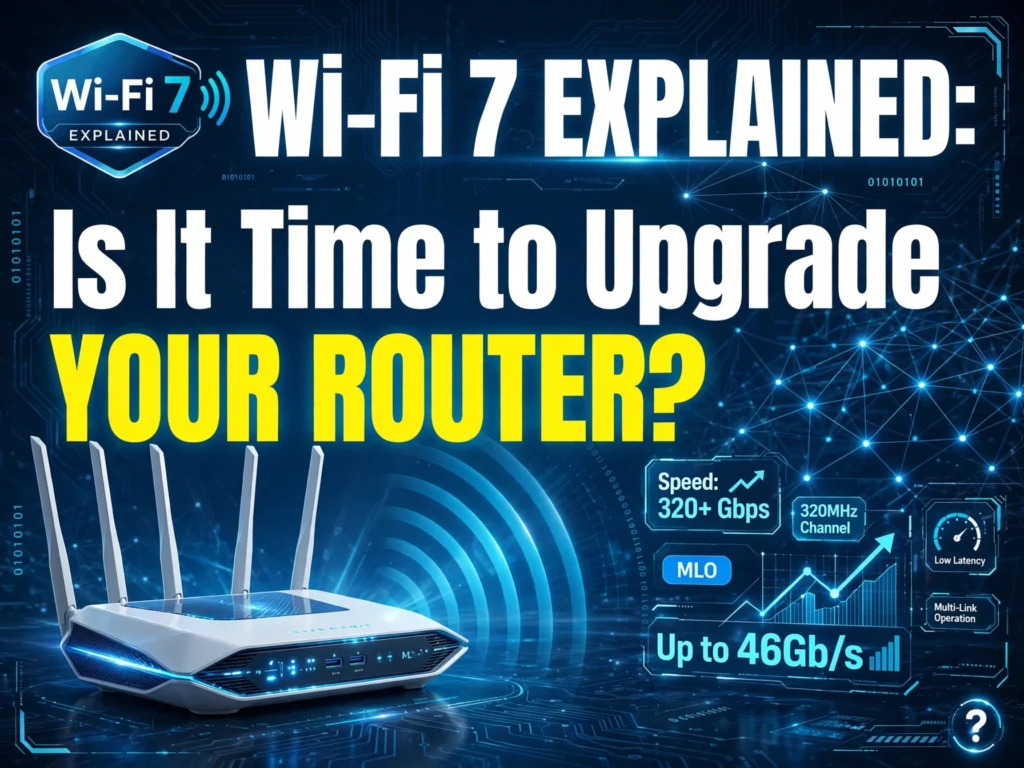
Let’s get the headline number out of the way: Wi-Fi 7 can theoretically reach speeds of up to 46 Gbps. To put that into perspective, Wi-Fi 6 maxes out at around 9.6 Gbps. That’s nearly a fivefold increase! While you likely won’t hit those exact numbers in a real-world home setting due to internet service provider limitations, the raw capacity means your local network will never be the bottleneck.
2. Multi-Link Operation (MLO) – The “Highway” Analogy
This is arguably the most important feature of Wi-Fi 7. In previous generations, your smartphone or laptop could only connect to one frequency band at a time. It was either on the 2.4 GHz band (good for range) or the 5 GHz band (good for speed).
Multi-Link Operation (MLO) changes the game. It allows your devices to connect to multiple bands simultaneously. Think of it like driving on a highway. Before, you had to choose between a slow lane with fewer cars or a fast lane that might get congested. With MLO, you get to drive a car that spans across all three lanes at once. If one lane gets jammed, your data instantly shifts to the open lane without dropping the connection. This means fewer dropped signals and incredibly stable connections.
3. Wider Channels for Faster Data Flow
Wi-Fi 7 doubles the channel width from 160 MHz (in Wi-Fi 6) to 320 MHz. Imagine a pipe carrying water. If Wi-Fi 6 was a standard garden hose, Wi-Fi 7 is a massive industrial pipe. Wider channels mean significantly more data can travel through the air at the exact same time, reducing lag and buffering.
4. 4K-QAM for Better Efficiency
Without getting too deep into the math, 4K-QAM (Quadrature Amplitude Modulation) is a technology that packs more data into every single transmission. It offers a 20% increase in data transmission rates compared to Wi-Fi 6. This is especially great for battery-powered devices like smartphones and wireless earbuds, as they can download what they need faster and go back to sleep, saving battery life.
Wi-Fi 7 vs. Wi-Fi 6: What’s the Real Difference?
If you currently have a Wi-Fi 6 router, you might be perfectly happy. Wi-Fi 6 is excellent for most modern households.
The main difference comes down to efficiency under heavy loads. If you live in a home with two people streaming Netflix, Wi-Fi 6 is more than enough. However, if you live in a smart home with security cameras, smart thermostats, gaming consoles, 4K streaming TVs, and multiple people working from home, Wi-Fi 7 handles that network congestion far better. It doesn’t just add more speed; it adds intelligent traffic control.
Is It Time to Upgrade Your Router?
This is the million-dollar question. The answer is: It depends on your current internet setup and your daily habits.
Here is a breakdown to help you decide.
You Should Upgrade to Wi-Fi 7 If:
- You have a Multi-Gig Internet Plan: If your ISP offers you speeds of 2 Gbps or higher, a Wi-Fi 6 router will actually bottleneck your speeds (since most max out around 1 Gbps on the wireless end). You need Wi-Fi 7 to unlock those massive speeds wirelessly.
- You Are a Hardcore Gamer or VR User: Virtual Reality headsets and competitive online gaming require ultra-low latency. The MLO feature in Wi-Fi 7 practically eliminates lag spikes, giving you a smoother, more responsive experience.
- You Run a Server or Transfer Huge Files: If you edit 4K video on a NAS (Network Attached Storage) drive or transfer massive files between computers on your local network, Wi-Fi 7 will save you hours of waiting.
- You Live in a “Smart Home” Paradise: If you have 40+ connected devices, Wi-Fi 7’s advanced congestion management will keep everything running smoothly.
You Should Wait on Upgrading If:
- Your Internet Speed is Under 1 Gbps: If you pay for a 500 Mbps or 1 Gbps internet plan, a Wi-Fi 7 router will not make your internet faster. Your ISP speed is the bottleneck, not your router. A solid Wi-Fi 6 router will easily handle this.
- Your Devices Don’t Support It Yet: To get the full benefits of Wi-Fi 7, your phone, laptop, or TV needs to have a Wi-Fi 7 chip inside. While the newest Samsung Galaxy phones, high-end laptops, and the latest iPhones are starting to include this, older devices won’t see a speed boost.
- Budget is a Concern: Right now, Wi-Fi 7 routers are priced at a premium. Early adopters are paying top dollar. If you wait a year or two, prices will drop significantly as the technology becomes the standard.
Final Verdict: The Future is Fast, But Don’t Rush Blindly
Wi-Fi 7 is a massive technological leap. The introduction of Multi-Link Operation and 320 MHz channels makes it the most robust wireless standard we’ve ever seen. It is undoubtedly the future of home networking.
However, “newer” doesn’t always mean “necessary right now.” If your current Wi-Fi 6 router is handling your household’s streaming, scrolling, and gaming without a hitch, you can comfortably wait. Save your money until Wi-Fi 7 router prices drop and more of your everyday devices support the new standard.
On the other hand, if you are building a high-tech smart home, have invested in multi-gabit internet, or simply want the absolute best low-latency experience for gaming and virtual reality, upgrading to a Wi-Fi 7 router today will give you a genuinely noticeable, future-proof upgrade.
What do you think? Are you ready to make the jump to Wi-Fi 7, or are you holding onto your Wi-Fi 6 setup for a bit longer? Let us know in the comments below!